Spider Solitaire: Card Games
- 4.6
- Rating
- 50.00M
- Installs
- Free
- Price

 Analysis by App-foxy
I keep coming back to Spider Solitaire: Card Games when I want something familiar, quiet, and easy to start without committing to a long session. It is a free card game from MobilityWare, built around the classic Spider Solitaire format rather than a large collection of unrelated activities. That focus is its main appeal: I can open it, make a few deliberate moves, and stop whenever I feel like it.
The game has been available since September 15, 2011, and its long presence is reflected in its broad audience. It has passed 50 million installs and holds a 4.6 average from around 744 thousand ratings, with roughly 85 thousand written reviews. Those figures do not replace personal experience, but they do suggest that this is a well-established choice for people who want a straightforward solitaire game on a phone or tablet.
How the classic card format feels in everyday play
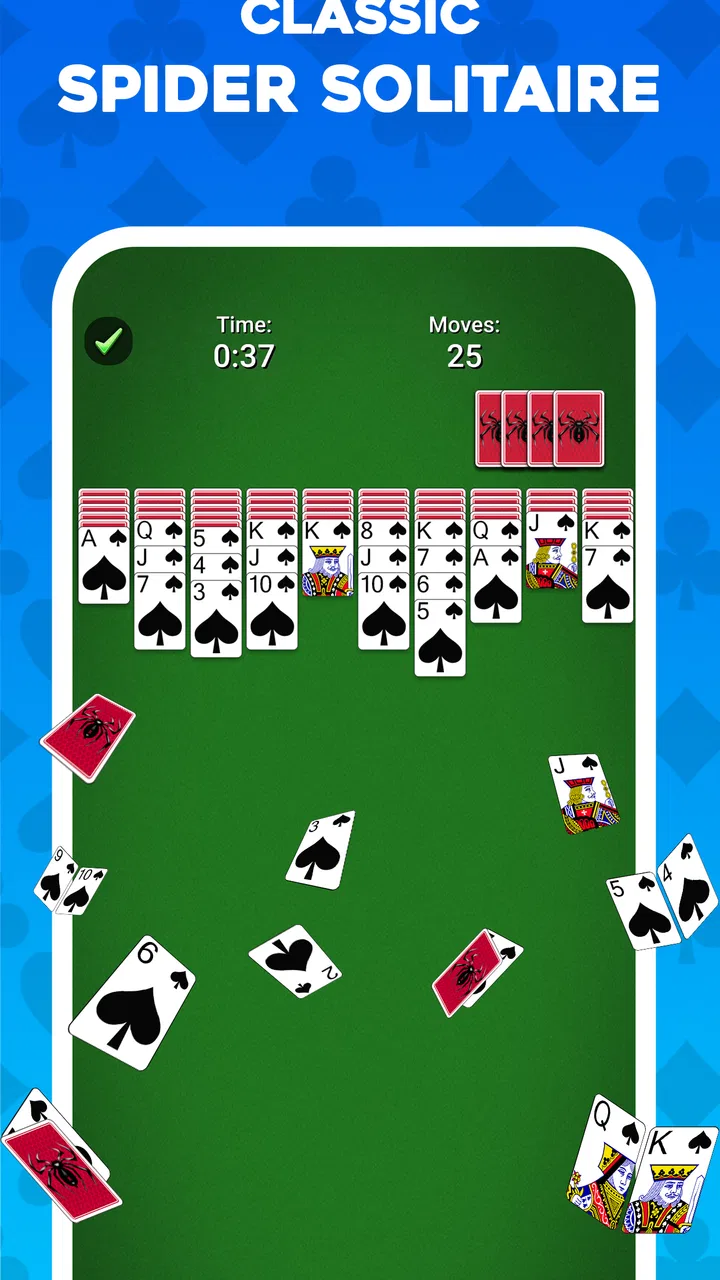
Spider Solitaire is more involved than the simplest one-deck solitaire variations because the player has to manage several columns and build sequences in descending order. The satisfying part is not simply finding a legal move. It is deciding whether a move improves the position, opens a useful space, or quietly removes an option that may be needed later.
You May Also Like

 Blood Strike: 2.5 Anniversary
Blood Strike’s Loadouts Turn Every Drop Into a Tactical Gamble
A close look at Blood Strike’s custom loadouts: how fast access to signature weapons reshapes its battle royale rhythm, rewards preparation, and narrows the gap between fights.

 Pandora - Music & Podcasts
Pandora’s Music Is Easy to Start, but Harder to Recover
Pandora’s strength is its low-effort path from a seed to a station. Its weak spot is how much confidence it asks you to place in connection, setup, and quiet recovery.

 8 Ball Pool
8 Ball Pool Is Built on Rivalries, Rematches, and Routine
A close look at the rivalries, rematches, shared routines, and unanswered safety questions that turn a quick pool match into a persistent mobile community.

 Samsung Music
Samsung Music’s Quiet Strength Is Playing What You Already Own
Its reach comes less from spectacle than from dependable access to a personal library. That simplicity is both the app’s strongest retention engine and its ceiling.

 AccuWeather: Weather Radar
AccuWeather Review: A Quick, Clear Forecast for Everyday Decisions
For everyday plans, the best forecast is the one you can understand quickly. AccuWeather makes rain timing, radar, and local conditions easy to act on, with a few trade-offs.

 Hill Climb Racing
Why Hill Climb Racing Still Turns Crashes Into One More Run
A tiny car, a bumpy hill and one more upgrade: Hill Climb Racing keeps resurfacing because its simple chaos makes every near-miss feel personal.
More From Our News Desk



I find that structure especially suitable for short breaks. A realistic use is a train ride, a few minutes before an appointment, or a quiet moment after finishing work. The game does not demand that I remember a story, coordinate with other players, or learn a complicated control scheme. I can focus on the arrangement of the cards and leave when my attention is needed elsewhere.
That simplicity also makes it approachable for people who already play physical cards. The digital format removes the need to shuffle or arrange a table, while preserving the basic mental rhythm of Spider Solitaire: expose hidden cards, create ordered runs, clear columns when possible, and avoid blocking the board with careless placements.
What makes the decision-making worthwhile
The strongest part of this version is the way a small move can change the whole position. Moving a complete descending sequence may look attractive, but it can be wiser to move only part of a run if that exposes a hidden card or leaves a valuable empty column available. I recommend pausing before every large rearrangement instead of tapping through moves automatically.
One useful habit is to treat empty columns as working space, not merely as a sign of progress. If I clear a column too early and immediately fill it with a poorly chosen sequence, I may lose the flexibility needed to uncover cards elsewhere. Keeping one column open for a temporary move can be more valuable than making a visually neat arrangement.
Another practical tip is to inspect every available move before drawing or dealing more cards. A new row can add pressure to the layout, so I prefer to exhaust the useful rearrangements first. This is a small change in routine, but it makes the game feel more strategic and reduces the sense that a difficult position is simply luck.
Free access and the question of value
The game is free to download, which makes it easy to try without paying upfront. That matters for a casual card game because the main question is not whether the entry price is affordable; it is whether the experience remains comfortable enough to justify keeping it installed. The free starting point gives me room to answer that through actual play rather than a purchase decision made in advance.
Optional in-app purchases are listed from $1.99 to $29.99 per item. I would treat those as a personal convenience choice, not as part of the basic cost of trying the game. Anyone who dislikes spending inside free games should decide on a firm limit before playing, while someone who is comfortable paying for extras can judge whether the convenience is worth it to them.
That distinction is important: the free version provides the opportunity to play, but “free” does not mean every possible convenience or enhancement has no cost. I would not recommend buying anything immediately. I would first play several sessions, see whether the core card layout holds my interest, and only then consider whether an optional purchase solves a problem I actually have.
Where it fits among other solitaire choices
Compared with a very basic solitaire app, Spider Solitaire asks for more planning and gives each session a stronger sense of buildup. It is a better fit when I want to think through sequences rather than simply pass time by flipping cards. On the other hand, a simpler Klondike-style game may be preferable for someone who wants the quickest possible rules or a lighter mental load.
It also differs from competitive card games because the experience is primarily about personal concentration. There is no need to wait for opponents, maintain a ranking mindset, or match another person’s schedule. That makes it calmer than multiplayer alternatives, although players seeking social interaction or direct competition may find it too solitary.
Compared with a large card-game collection, this title is more focused. That focus is a benefit if Spider Solitaire is the game I actually want, because the interface and routine do not need to compete with a long menu of unrelated modes. It is less attractive if I expect poker, free-cell variations, or several different card formats in one installation.
Small habits that improve difficult layouts
I get better results by prioritizing hidden-card exposure over making every visible sequence look tidy. A column with a shorter run may be more useful than a long, attractive stack if moving it reveals a face-down card. In practice, I ask myself which move creates the most future choices, not which move looks most complete right now.
I also avoid filling an empty column automatically. Before placing a sequence there, I check whether the move will help uncover cards or simply relocate a blockage. This is one of the clearest tradeoffs in Spider Solitaire: an empty space feels valuable, but its value comes from how flexibly it can be used.
When a session starts to feel stuck, I find it more productive to review the last few moves than to tap randomly. Sometimes the problem is not the current layout but an earlier decision that buried a useful card under an awkward sequence. That reflective quality is one reason I see the game as more than a passive time filler.
Limitations I noticed before recommending it
The focused design will not satisfy everyone. If I want a broad card library, a social layer, or a game with constant novelty, this is probably too narrow. Its appeal depends on enjoying repeated variations of the same central puzzle. The familiar format is reassuring, but it can also become repetitive for players who need frequent changes in rules or presentation.
The free-to-play structure is another point to consider. Even though I can begin without paying, the presence of optional purchases means the overall experience should be judged on two levels: whether the free play is enjoyable and whether any paid convenience feels necessary. I prefer to keep that distinction clear rather than assuming that every player will value purchases in the same way.
There is also a difference between relaxing and effortless. Spider Solitaire can be calming, but it still asks me to plan ahead. On a day when I want something completely automatic, even this gentle card puzzle may feel like too much concentration. For those moments, a simpler casual activity could be a better match.
Who is likely to get the most from it
I would recommend it to people who already enjoy Spider Solitaire and want a dependable mobile version, as well as newcomers who are willing to learn a familiar card structure through practice. It works particularly well for players who like quiet solo games, short sessions, and decisions that reward patience more than speed.
It is also a sensible choice for someone who wants to test the format without paying at the door. The age rating is Everyone, and the minimum operating-system requirement is Android 8.0, so compatibility should be checked against the device before installation. On supported hardware, the low barrier to entry makes experimenting with the game straightforward.
I would be more cautious about recommending it to a person who expects a single purchase with no optional spending choices, or to someone who mainly wants multiplayer competition. Likewise, if the goal is a collection containing many distinct card games, a broader alternative may deliver more variety even if its Spider Solitaire mode is less focused.
What the long-running release tells me
The current version is 7.7.0.4890, while the game itself dates back to 2011. I read that combination as a sign of an established product rather than a newly launched experiment. The important practical point is that its identity is clear: this is a mature, dedicated card game, not an app trying to reinvent solitaire with an unrelated concept.
MobilityWare is the developer, and the large install base gives the title a level of familiarity that smaller, newer solitaire apps may not have. That does not automatically make it the best option for every player, but it makes it easier for me to recommend as a known starting point when someone asks for a classic Spider Solitaire experience on mobile.
The store summary describes it as a relaxing way to play the classic game, and that matches my overall impression more closely than a claim that it is an intense challenge. The relaxation comes from the predictable rules and solo pace, while the challenge appears in planning several moves ahead. It is a calm puzzle, not a mindless one.
My buying decision after using the free version
My advice is to install it first and play without treating the optional purchases as part of the initial commitment. The free access is enough to discover whether the card layout, pace, and repeated puzzle structure suit you. If you enjoy the core loop, then you can make a separate decision about spending; if you do not, there is little reason to pay simply because the game is familiar.
For me, the value comes from convenience and repeatability rather than a large amount of content. I can return to the same kind of puzzle whenever I want a quiet break, and the strategic choices give the sessions more substance than a purely automatic pastime. That value is strongest for regular Spider Solitaire players, not for someone searching for a constantly changing game.
My verdict is to try it, but keep the purchase decision deliberate. As a free card game, it offers an accessible way to play Spider Solitaire on a mobile device, with enough planning to stay interesting and enough simplicity to fit ordinary spare moments. I would skip it only if I wanted multiplayer play, a wide collection of card formats, or a completely purchase-free environment. For everyone else, especially fans of patient solo card puzzles, it is an easy recommendation with a clear understanding of what it does and does not try to be.
In short, Spider Solitaire: Card Games earns its place through focus rather than excess. It gives me a familiar puzzle, useful room for careful decision-making, and a free way to find out whether the format still holds my attention. That is a fair value proposition, provided I treat optional purchases as optional and choose the game for its steady Spider Solitaire experience rather than expecting a broader entertainment package.
FAQs for Spider Solitaire: Card Games
01What features does Spider Solitaire: Card Games offer?
Spider Solitaire: Card Games provides a classic card game experience with multiple difficulty levels, including 1, 2, and 4 suit options. The app also features customizable backgrounds and card designs, daily challenges, and an intuitive interface that enhances gameplay. Additionally, it includes hints and undo options to help players strategize their moves.
02Is Spider Solitaire: Card Games free to play?
Yes, Spider Solitaire: Card Games is free to download and play. However, the app may offer in-app purchases to enhance the gaming experience. These can include ad removal, special card designs, or additional hints. Players can enjoy the core game without spending money, but optional purchases can provide added convenience.
03Does Spider Solitaire: Card Games require an internet connection?
Spider Solitaire: Card Games can be played offline, making it perfect for users who want to enjoy the game without an internet connection. However, some features like daily challenges and leaderboard updates may require an internet connection to access the most current content and compete with others globally.
04How user-friendly is the interface of Spider Solitaire: Card Games?
The interface of Spider Solitaire: Card Games is designed to be user-friendly and accessible to players of all ages. The app features simple navigation, clear instructions, and easily adjustable settings. New players can quickly learn the game, while seasoned players will appreciate the smooth and responsive controls.
05Are there any ads in Spider Solitaire: Card Games?
The free version of Spider Solitaire: Card Games does include ads, which help support the developers. These ads may appear between games or at the bottom of the screen. For players who prefer an ad-free experience, the app offers a one-time purchase option to remove ads permanently, providing uninterrupted gameplay.
Pros
- Smooth and intuitive user interface.
- Variety of difficulty levels available.
- Daily challenges for extra rewards.
- Offline play without internet connection.
- Customizable card themes and backgrounds.
Cons
- Contains in-app advertisements.
- Limited free features without purchases.
- Occasional lag on older devices.
- No multiplayer or online mode.
- Requires frequent updates for new content.

Spider Solitaire: Card Games
Gallery